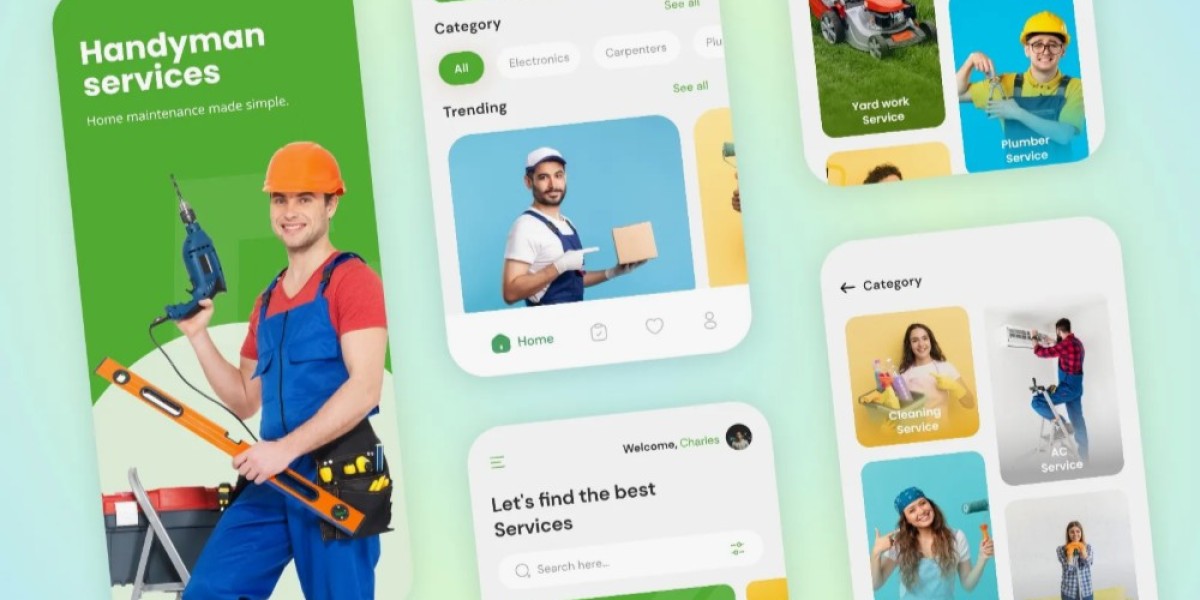

A well-designed handyman app connects customers with skilled professionals, simplifies bookings, automates workflows, and creates a structured system for managing jobs, payments, reviews, and communication. To create such an app, you need a clear understanding of the development process, the required features, and the technical fundamentals behind a successful build.
1. Start with Defining Your Core Purpose
Before writing any code, define why you want the handyman app and what problems it should solve. Some businesses aim to organize their internal service teams, while others want to build a consumer-focused marketplace. A clear purpose helps you design features that align with your business model. For example, if your goal is to offer instant on-demand repairs, you will prioritize real-time job assignment and technician tracking.
2. Conduct Market and Competitor Research
Study existing handyman apps and note what they do well and where they fall short. This helps you identify gaps you can fill. Talk to property managers, homeowners, and service technicians to understand common challenges such as delayed responses, unclear pricing, or difficulty finding skilled workers. These insights help shape your product blueprint and determine what features will make your app stand out.
3. Build a Detailed Requirement Plan
Once you know your audience and goals, create a structured requirement document. This should include user roles, workflows, design preferences, payment systems, service categories, and operational rules. The more detailed your requirement plan is, the smoother the development process becomes. Every small step such as booking flow, cancellation policy, invoicing method, or technician onboarding process should be clearly planned.
4. Finalize the Feature List
A successful handyman application must balance essential features with business-specific tools. A few must-have components include user profiles, service selection, booking calendar, job status updates, secure payment options, technician dashboards, in-app chat, document upload, and customer ratings. For business owners, advanced tools like performance reports, job history logs, automated reminders, and customer relationship management can be added to improve efficiency.
5. Create Wireframes and UI Layouts
Design plays a significant role in how users interact with your app. Start with simple wireframes that show how each screen will appear. Focus on a clutter-free layout, clear navigation, and accessible buttons. A clean design reduces confusion and encourages user engagement. At this stage, you can also finalize brand elements such as color palette, typography, and icons that match the professional nature of handyman services.
6. Choose the Right Tech Stack
Your technology choices determine the performance, scalability, and long-term durability of the app. If you want to reach both Android and iOS users quickly, cross-platform frameworks like Flutter or React Native work well. For backend development, you can use Node.js, Laravel, or Python-based frameworks. The database can run on MySQL, PostgreSQL, or MongoDB depending on your need for speed and flexibility. Cloud hosting services such as AWS or Google Cloud provide reliable storage and strong security.
7. Develop the Frontend and Backend
This is where your app starts taking shape. The frontend deals with user-facing elements of the app, while the backend handles core functions like authentication, job management, scheduling, and payment processing. A well-structured backend ensures the app runs smoothly even when thousands of users submit requests at the same time. Integrations such as SMS notifications, push alerts, and payment gateways should be configured during this stage.
8. Implement Real-Time Functionalities
Handyman apps benefit greatly from real-time updates. Add systems that allow technicians to receive instant notifications, customers to track job progress, and admins to monitor ongoing tasks. Real-time updates reduce delays and improve transparency. You can implement socket-based communication for live tracking or map integration if you want to show technician locations.
9. Test Every Component Thoroughly
Testing is vital before launching. Conduct functional testing, UI testing, performance testing, and security checks. Simulate real-life situations such as peak customer hours or technician unavailability. This ensures the app can handle fluctuations and edge cases. Quality testing helps you fix bugs early and deliver a stable, professional-grade application.
10. Launch a Pilot Version
Before offering the app to the public, release a pilot version for a small group of real users. Collect feedback on usability, speed, navigation, and technical issues. Use this feedback to refine your design and performance. This step helps minimize risk and ensures your final app meets real-world needs.
11. Maintain and Upgrade Continuously
A handyman app is never a one-time project. You must update features, improve security, handle new service requests, and enhance the user experience regularly. Respond to user feedback quickly and keep improving your system. Continuous maintenance ensures long-term growth and customer satisfaction.
12. Work With the Right Development Partner
Working with a skilled team speeds up the entire process and ensures reliable results. A professional Handyman App Development Company understands technical challenges, usability expectations, and marketplace demands. If you want a powerful, scalable, and well-structured solution, choose a partner that specializes in building on-demand and service-based applications.